Jeux
Support
Blog
Mises à jour
LDGame
Affiliés

Suivez-nous

Prise en charge de LDPlayer

EmailEmailFacebookFacebookDiscordDiscordE-mail du service client LDGameE-mail du service client LDGame(Gestion des problèmes liés au compte LD et à la recharge)

Produits

LDCloudLDCloudOSLinkOSLinkEasyFunEasyFun

À propos

À propos de nousÀ propos de nousPartenariatPartenariat

©2026 LDPLAYER.NET , ALL RIGHTS RESERVED.JUST OKAY LIMITED , OFFICE F, 12/F, YHC TOWER , 1 SHEUNG YUET RD, KOWLOON BAY KLN, HONG KONG

Les applications de jeux sur ce site sont toutes collectées sur Internet. En cas de violation, veuillez contacter l'e-mail : support@ldplayer.net
Software Licensing ProtocolSoftware Licensing ProtocolTerms of UseTerms of UsePrivacy PolicyPrivacy PolicyGDPR Privacy NoticeGDPR Privacy NoticeHelp TranslateHelp Translate

Blog/

Actualités et guides pour Play Together: Jeu social cosy

Comment jouer au jeu Play Together avec 120 FPS

2021-08-11

1. Choisissez le mode 120 FPS dans les paramètres de l'émulateur
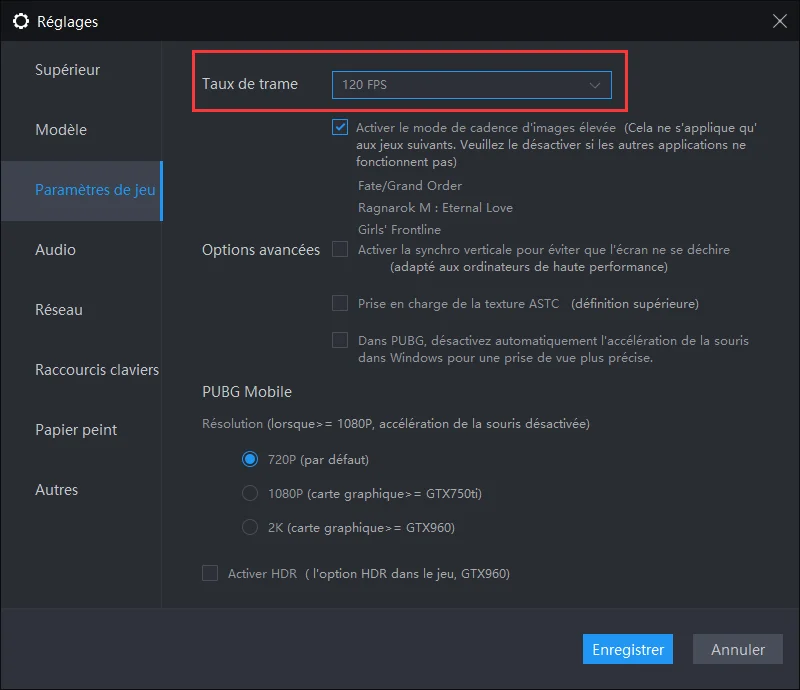
Play Together 120 FPS


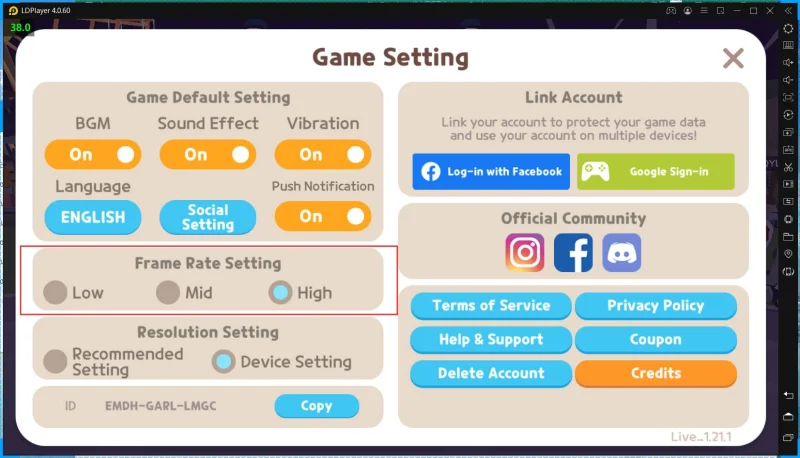
2. Accédez aux paramètres du jeu, puis choisissez le paramètre High Frame Rate
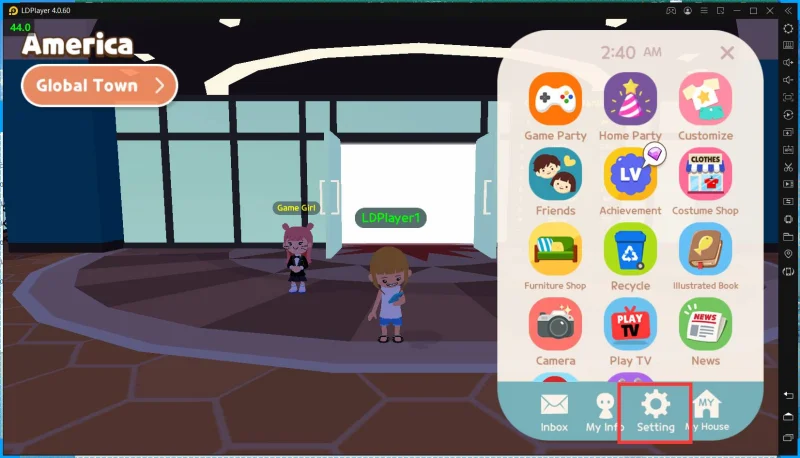
Play Together 120 FPS

Play Together 120 FPS

Play Together 120 FPS

Comment jouer à Minecraft gratuitement sur PC
|
Comment faire si je ne peux pas entrer dans Play Together à cause d'un VPN
Recommandé pour vous
Guide du jeux populaires
Comment faire si je ne peux pas entrer dans Play Together à cause d'un VPN
Comment télécharger Play Together sur PC
Black Myth: Wukong — Annonce de la tournée du Concert mondial
LD Game Elemental Quest Top-up Deal
Board Game Stats Giftcode Magic Hero War
3 célébrités qui jouent avec leurs fans

Play Together: Jeu social cosy