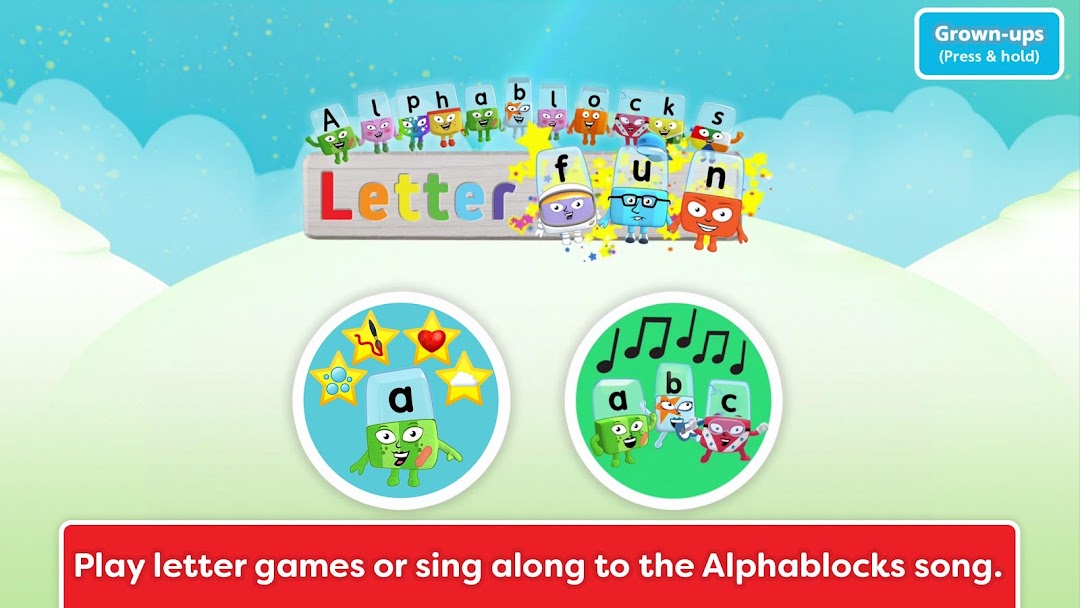
Alphablocks: Letter Fun! est une application Éducatif développée par Blue Zoo et peut être utilisée sur les appareils mobiles, mais en utilisant le meilleur émulateur Android - LDPlayer, vous pouvez télécharger Alphablocks: Letter Fun! et l'exécuter sur votre ordinateur.
En exécutant Alphablocks: Letter Fun! sur votre ordinateur, vous pouvez naviguer clairement sur un grand écran, et contrôler les applications à l'aide de la souris et du clavier est beaucoup plus rapide que de toucher l'écran, et vous n'avez jamais à vous soucier de la puissance de votre appareil.
Grâce aux fonctionnalités multi-instance et de synchronisation, vous pouvez également exécuter des applications et des comptes multiples sur votre ordinateur.
La fonction de transfert de fichiers entre l'émulateur et l'ordinateur facilite également le partage de photos, de vidéos et de fichiers.
Téléchargez Alphablocks: Letter Fun! et exécutez-le sur votre ordinateur dès maintenant et profitez de l'écran large et de la haute qualité d'image pour la version PC!
From the BAFTA nominated pre-school learning TV shows Alphablocks and Numberblocks, we bring you Alphablocks Letter Fun!Your little ones are going to LOVE interacting with the Alphablocks in this amazing App. It’s hugely entertaining to play and makes a real difference to their reading through fun, multisensory learning.
Alphablocks has been on TV for nearly a decade, helping millions of children learn to read the fun way. Now your little ones can meet all the Alphablocks from A to Z, learning letters and sounds with four great phonics mini-games and a fantastic singalong song.
"Alphablock A says a! when an apple lands on her head! "
Every Alphablock is designed to make their letter and sound easy to learn, encouraging kids to interact with the characters and really get to know the alphabet. They’ll have great fun getting hands-on with letters and sounds.
* No in-app purchases *
▸ MINIGAMES
There are four minigames per Alphablock — that’s over 100 great activities for kids to enjoy!
◆ Bubble pop! — match letters to sounds by popping the bubbles that match the sounds you hear.
◆ Paint me — listen to letter sounds as you paint each Alphablock with your finger.
◆ Favourite things — listen out for words that begin with each letter sound and add them to the Alphablock’s collection of favourite things.
◆ Hide and seek — listen carefully to tell letter sounds apart, and see if you can spot where the Alphablock is hiding.
▸ ALPHABLOCKS LETTER SONG
Sing along with the Alphablocks as they all get together to sing their letter sounds in a mnemonic song that kids will love and remember!
▸ LETTER SOUNDS AND NAMES
When your child has mastered their letters and sounds, change to Letter Name mode and have fun learning all the letter names too.
▸ EARN STARS
Every minigame earns a star. Collect all four stars to watch the Alphablock sing their line from the Alphablocks letter song. Can you light up all the stars for all your Alphablocks? (The app keeps your progress between visits. You can reset it if you want to start again or to let a friend or sibling play.)
▸ FULL OF FABULOUS PHONICS
Alphablocks is made by teachers and reading experts. It’s built around systematic synthetic phonics, as taught in UK schools. Alphablocks is a step-by-step reading system with episodes, books and more that has helped over a million children learn to read the fun way.
Alphablocks Letter Fun was created by Blue Zoo Animation, the multi-award winning studio who are passionate about creating fantastic content for kids tv and games. Blue Zoo has produced many hit pre-school shows including Go Jetters, Digby Dragon, Miffy, Tree Fu Tom, Mac & Izzy, and more.
www.blue-zoo.co.uk
Privacy Policy: https://www.learningblocks.tv/apps/privacy-policy
Terms of Service: https://www.learningblocks.tv/apps/terms-of-service