ArcSite
4.05+

ArcSite

Plans d'étage et CAO pour tout le monde.

Jouez sur PC avec LDPlayer
recommend

Le développeur officiel de ArcSite est ArcSite, tandis que LDPlayer ne propose que le service de téléchargement d'APK.

ArcSite
Comment télécharger ArcSite sur votre ordinateur
Dernières mise à jour: 2026-01-18
com.arcsite.app.android
Partager:
  • Informations sur le jeu

  • FAQ

Exécutez ArcSite sur PC avec LDPlayer

ArcSite est une application Outils développée par ArcSite et peut être utilisée sur les appareils mobiles, mais en utilisant le meilleur émulateur Android - LDPlayer, vous pouvez télécharger ArcSite et l'exécuter sur votre ordinateur.

En exécutant ArcSite sur votre ordinateur, vous pouvez naviguer clairement sur un grand écran, et contrôler les applications à l'aide de la souris et du clavier est beaucoup plus rapide que de toucher l'écran, et vous n'avez jamais à vous soucier de la puissance de votre appareil.

Grâce aux fonctionnalités multi-instance et de synchronisation, vous pouvez également exécuter des applications et des comptes multiples sur votre ordinateur.

La fonction de transfert de fichiers entre l'émulateur et l'ordinateur facilite également le partage de photos, de vidéos et de fichiers.

Téléchargez ArcSite et exécutez-le sur votre ordinateur dès maintenant et profitez de l'écran large et de la haute qualité d'image pour la version PC!

ArcSite is the perfect design tool for all levels—from beginners sketching out floor plans to experienced designers taking on complex projects. No matter your experience, ArcSite puts intuitive CAD within reach of everyone!

ArcSite comes with a 14-day free trial, with a paid subscription thereafter.

QUICK, EASY, AND ACCURATE DRAWINGS

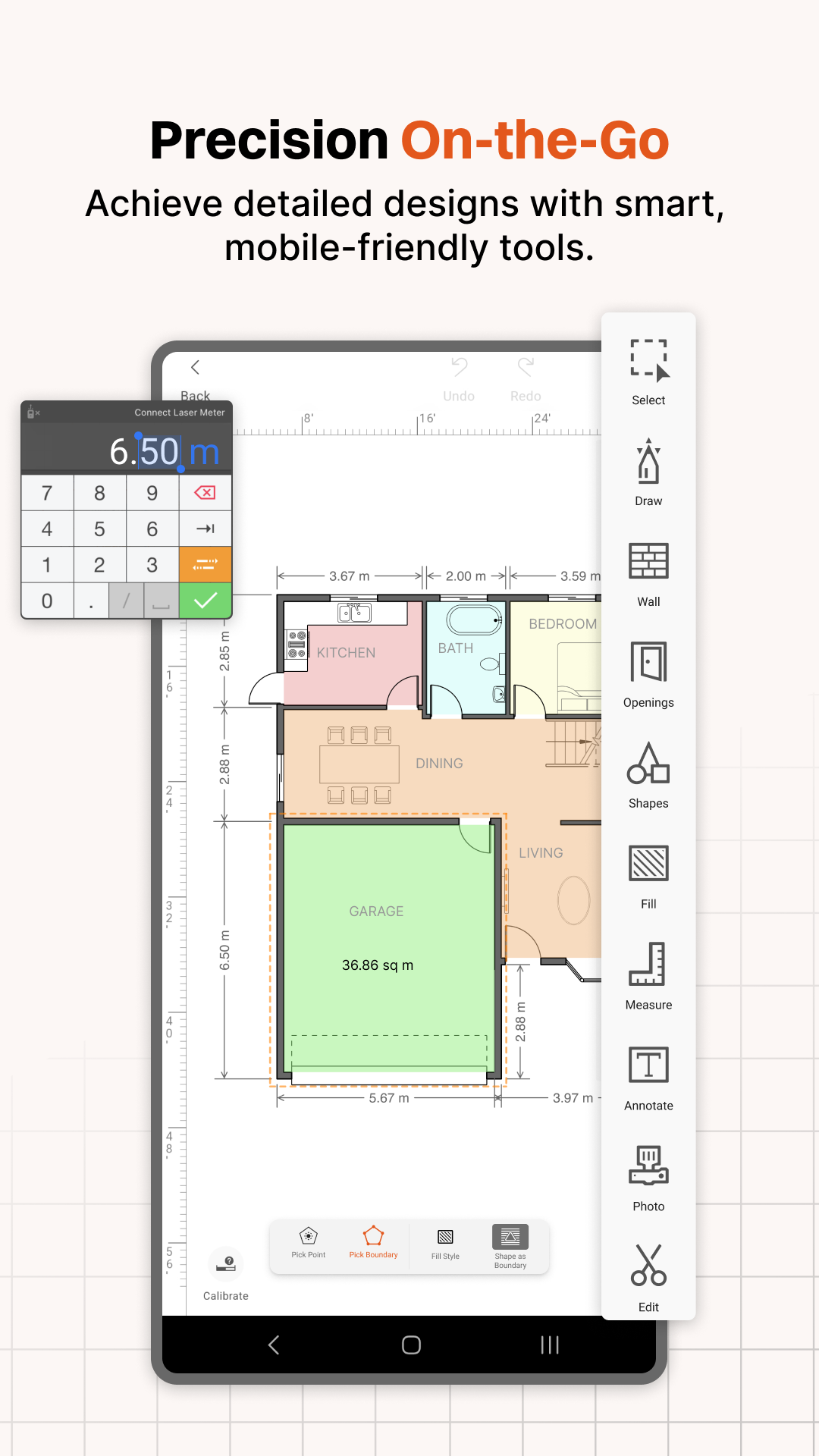
ArcSite is an intuitive CAD design tool that's easy enough for anyone to START SKETCHING FLOOR PLANS RIGHT AWAY and powerful enough to take on advanced CAD projects.

Contractors love ArcSite for home additions, remodeling, audit, cabinetry, site surveys, and flooring projects.

STAY ORGANIZED

Add enhanced visual information to your drawings by embedding on-site photos. Easily annotate or markup any photo or blueprint, and store all files in a secure cloud folder that your whole team can access from anywhere! Perfect for sharing with Project Managers, Field Technicians, Estimators, Contractors, and more.

PRESENT AND CLOSE

With ArcSite, YOUR DRAWINGS LITERALLY PRICE THEMSELVES. Once you’re finished drawing, ArcSite instantly generates a professional estimate or proposal to share with your clients, helping you stand out and win more business.

WHAT ARE PEOPLE SAYING ABOUT ARCSITE?

"I haven't found anything else that comes close to meeting my needs. With ArcSite I save hours on every estimate. Very easy to make accurate and professional-looking drawings, while on-site." - Colin, from JES Foundation Repair

"In my opinion, there is no better program for our line of work, we will be much more productive in the long term." - Paul from Johnson Controls

ArcSite is perfect for:

* Sketching floor plans or room planning with LiDAR
* Room design, remodeling, and blueprint creation
* Advanced 2D CAD Designs
* Generating proposals and estimates
* Professional in-home sales presentations
* Marking up blueprints or PDFs
* Managing or adding photos to site drawings
* Replacing graph paper for quick, scalable sketches

WHO USES ARCSITE?

Sales Teams, Residential Contractors, Fencing Pros, Foundation Repair Experts, Designers, Architects, Creative Homeowners, Remodeling Pros, Inspectors, Auditors, General Contractors, and more.

BENEFITS OF ARCSITE

STAND OUT FROM THE COMPETITION - Look professional by showing your teammates and customers impressive CAD-drawn floor plans, estimates, and detailed proposals—all from within ArcSite.

GO PAPERLESS - Store all of your drawings, LiDAR scans, and proposals securely in the cloud—accessible from any device across your team.

FINISH YOUR DRAWINGS FROM ANYWHERE - Say goodbye to needing desktop CAD software to complete a drawing.

SECURITY - SOC 2 Type II compliant and ISO/IEC 27001 certified

TERMS

Free 14 day trial

Terms of Service: http://www.arcsite.com/terms
Privacy Policy: https://www.iubenda.com/privacy-policy/184541

To continue using ArcSite after your trial, purchase a monthly or annual subscription plan (Draw Basic, Draw Pro, Takeoff, or Estimate). Each tier offers different features; details are in-app.

Auto-Renewable Subscription Info

* Payment charged to Apple Account at confirmation of purchase
* Subscription renews unless auto-renew is turned off 24 hours before the current period ends
* Renewal charged within 24 hours before the end of the current period
* Manage subscriptions or turn off auto-renewal in Account Settings after purchase
* Unused portion of a free trial is forfeited upon subscription purchase

WHAT'S INCLUDED?
* Scaled drawings can be exported to PNG/PDF/DXF/DWG
* Compatible with desktop CAD software such as AutoCAD & Revit
* 1,500+ shapes (or create your own)
* Import and markup PDFs
* Embed photos within your drawing
* Upload to the cloud. Share and co-edit with your coworkers
* Takeoff (quantities of materials)
* Proposal Generation (based on your drawing)
Lire plus

Capture d'écran et vidéo de ArcSite sur PC

Téléchargez ArcSite et exécutez-le sur votre ordinateur avec LDPlayer, vous pouvez exécuter plusieurs applications et comptes en même temps, devenez un professionnel de la gestion du temps, et faites coïncider travail et divertissement facilement.

Comment télécharger et exécuter ArcSite sur PC

  • 1

    Téléchargez et installez LDPlayer sur votre ordinateur

  • 2

    Localisez le Play Store dans les applications système LDPlayer, lancez-le et connectez-vous à votre compte Google

  • 3

    Entrez "ArcSite" dans la barre de recherche et recherchez-le

  • 4

    Choisissez ArcSite dans les résultats de la recherche et installez-le

  • 5

    Une fois le téléchargement et l'installation terminés, revenez à l'écran d'accueil de LDPlayer

  • 6

    Cliquez sur l'icône du jeu sur l'écran d'accueil de LDPlayer pour commencer à profiter de ce jeu passionnant